

What Are Automations?
Unlike general chat mode—where Chat generates a plan on the fly—Automations follow predetermined approaches developed by Flipside’s data science team. Think of them as domain experts with proven playbooks.Consistent Methodology
Every run applies the same validated approach, ensuring comparable results across analyses
Expert Knowledge
Built-in best practices for calculating metrics like TVL, user retention, and token distribution
Repeatable at Scale
Run the same analysis across different protocols, chains, or time periods
Automated Delivery
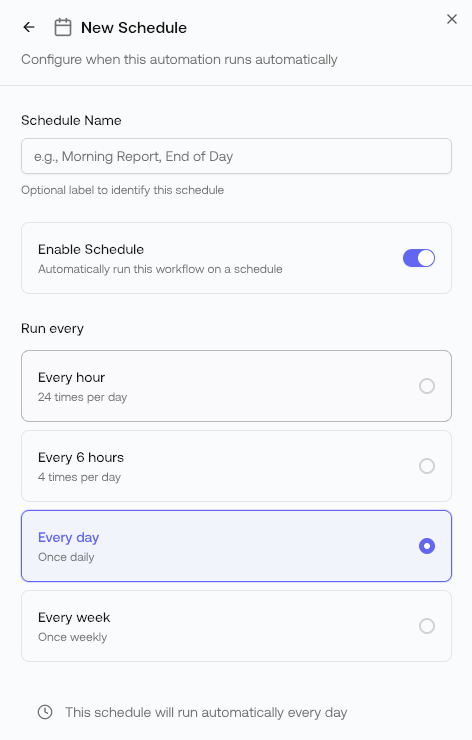
Schedule recurring reports delivered to Slack, email, or webhooks
Key Capabilities
| Capability | Description |
|---|---|
| Structured Analysis | Multi-step methodologies that handle complex calculations correctly |
| Comparative Studies | Apples-to-apples comparisons across protocols or chains |
| Scheduled Reports | Daily, weekly, or custom delivery schedules |
| Alert Triggers | Notifications when metrics cross thresholds |
| Audit Trail | Transparent methodology you can inspect and verify |
Example Use Cases
Protocol Health Monitoring
Protocol Health Monitoring
Track TVL, user growth, and revenue metrics across your protocol portfolio with consistent methodology and automated delivery.
Competitive Intelligence
Competitive Intelligence
Compare your protocol against competitors using the same calculation methods, ensuring fair
comparisons.
Token Distribution Analysis
Token Distribution Analysis
Analyze holder concentration, whale movements, and distribution patterns with validated tokenomics
frameworks.
Cross-Chain Flow Tracking
Cross-Chain Flow Tracking
Monitor bridge activity, net flows, and user migration patterns across chains.
How Automations Work
Trigger
Automations can be run manually from the Automations dashboard or scheduled to run
automatically.
Execute
The automation applies its structured methodology—running queries, calculating metrics, and
validating results.
General Mode vs Automation Mode
| Aspect | General Mode | Automation Mode |
|---|---|---|
| Approach | Flexible, adaptive | Structured, predetermined |
| Best for | Exploratory questions | Repeatable analyses |
| Methodology | Generated per question | Pre-validated frameworks |
| Consistency | May vary between runs | Same approach every time |
Getting Started
Automations can be created in the Flipspace UI or via the Flipside CLI:Create in Flipspace
Build automations visually in the app
Create via CLI
Create automations programmatically
Next Steps
Agents and Skills
AI assistants for interactive analysis
Chat
Conversational interface for Chat