

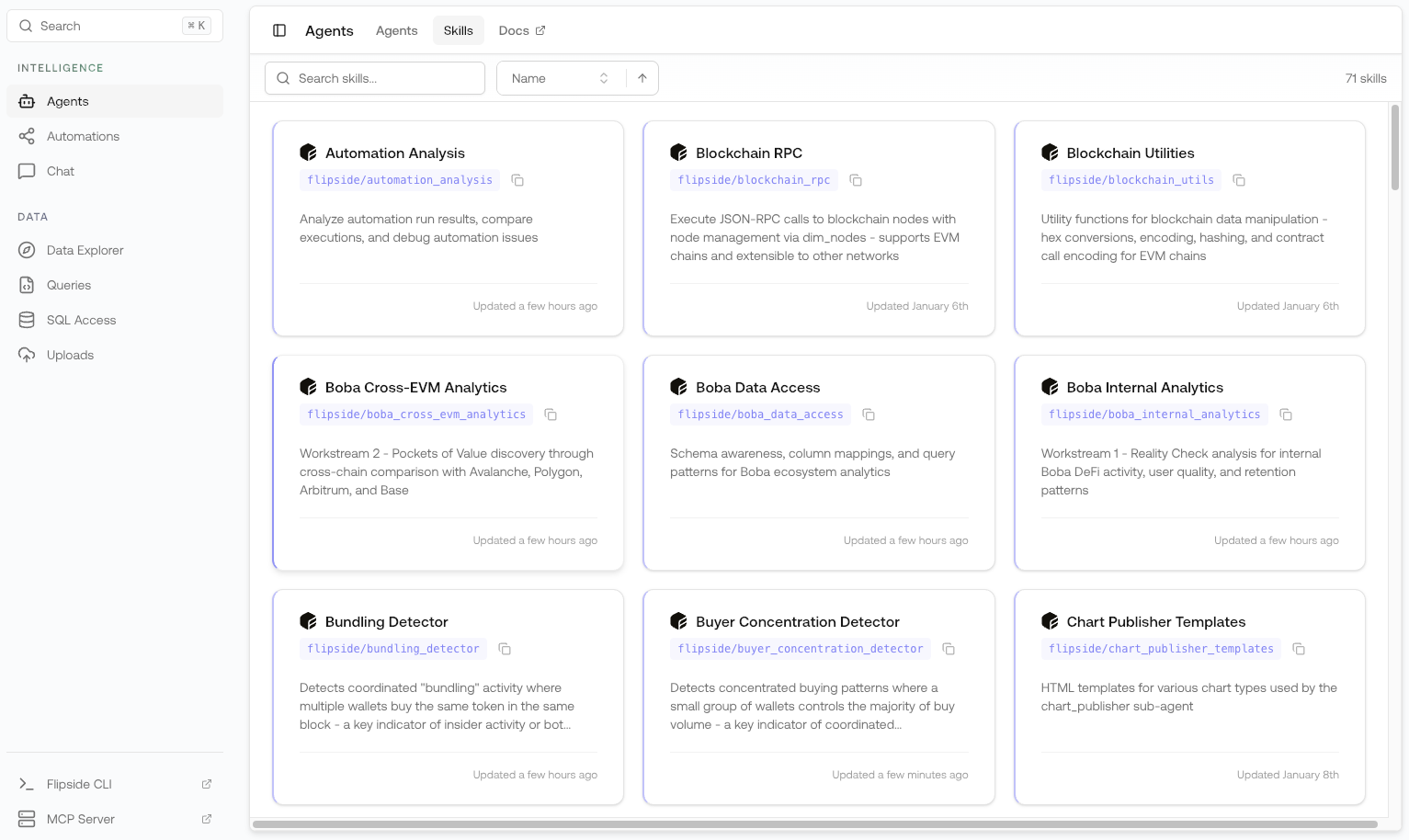
What Are Skills?
Think of skills as specialized expertise that agents can use:- Domain knowledge — Context about specific chains, protocols, or analysis methods
- Tool access — Capabilities like SQL querying, table discovery, and visualization
- Best practices — Pre-defined approaches for common analysis tasks
Browsing Skills
Open Skills
Browse all available skills in Flipspace
- Skill name — Identifier for the skill
- Description — What knowledge and capabilities the skill provides
- Tools — Which tools the skill grants access to
How Skills Work
When an agent is equipped with a skill:- Context is loaded — The skill’s domain knowledge becomes available to the agent
- Tools are enabled — The agent can use the skill’s tools to perform tasks
- Expertise is applied — The agent uses the skill’s guidance for relevant questions
Built-in Tools
Skills can provide access to these tools:| Tool | Description |
|---|---|
find_tables | Semantic search for relevant blockchain tables |
get_table_schema | Get column-level metadata for a table |
run_sql_query | Execute SQL against Flipside’s data warehouse |
use_skill | Invoke another skill at runtime |
publish_html | Deploy visualizations to a public URL |
Skill Examples
DeFi Analysis Skill
DeFi Analysis Skill
Context includes:
- Key DeFi tables (dex swaps, lending, staking)
- Protocol-specific knowledge
- Common analysis patterns
run_sql_query— Query DeFi datafind_tables— Discover relevant tablesget_table_schema— Understand table structure
NFT Intelligence Skill
NFT Intelligence Skill
Context includes:
- NFT marketplace tables
- Collection metadata
- Trading pattern analysis
run_sql_query— Query NFT datafind_tables— Find NFT tablespublish_html— Generate visual reports
Chain-Specific Skill
Chain-Specific Skill
Context includes:
- Chain-specific table structures
- Protocol addresses and labels
- Native token economics
run_sql_query— Query chain dataget_table_schema— Understand chain tables
Skills vs. Agents
| Aspect | Skills | Agents |
|---|---|---|
| Purpose | Provide knowledge and tools | Perform analysis and answer questions |
| Reusability | Shared across multiple agents | Standalone entities |
| Interaction | Not directly used by users | Users chat with agents |
| Composition | Can be combined | Use multiple skills |
Creating Custom Skills
To create your own skills, use the Flipside CLI:CLI: Skills Documentation
Learn how to create, deploy, and manage skills via the CLI
Visibility Levels
Skills support three visibility levels:| Level | Description |
|---|---|
| Private | Only you can access and use |
| Organization | All members of your org can use |
| Public | Anyone can use in their agents |
Best Practices
Keep skills focused
Keep skills focused
Create skills for specific domains or use cases. A skill that does too much becomes hard to maintain and less effective.
Include relevant context
Include relevant context
Add helpful context about: - Which tables to use - Common query patterns - Domain-specific
terminology
Choose tools carefully
Choose tools carefully
Only include tools the skill actually needs. More tools means more complexity for the agent.
Document your skills
Document your skills
Write clear descriptions so others (and agents) understand what the skill provides.